
Before a performance
Update the header text on the homepage video section to: “Watch the Next Performance: June 24 at 6 p.m.”
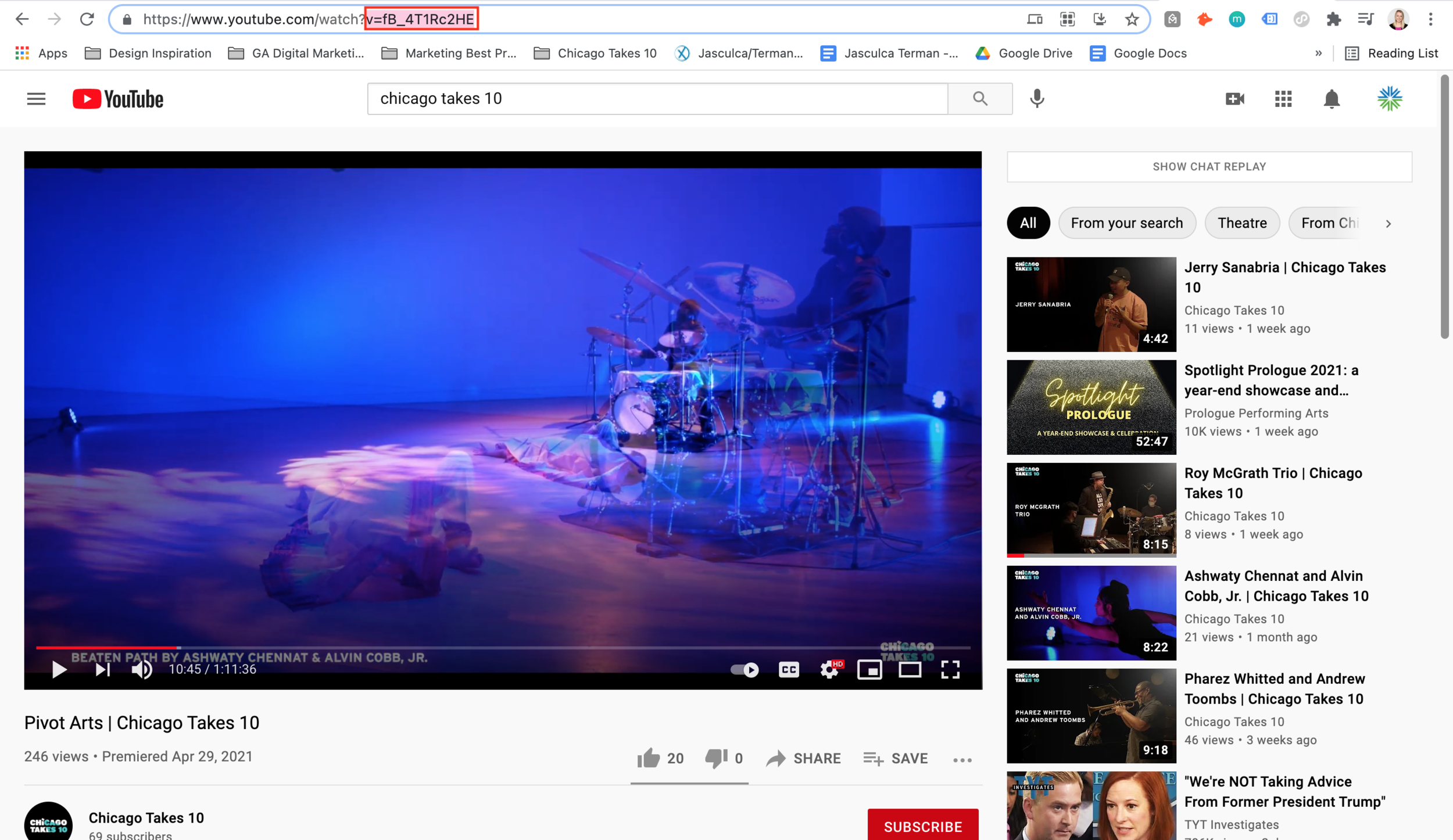
Update the YouTube video URL link to the new premiere link.
Delete the “Watch with chat replay on YouTube” text below the video and replace with a code block.
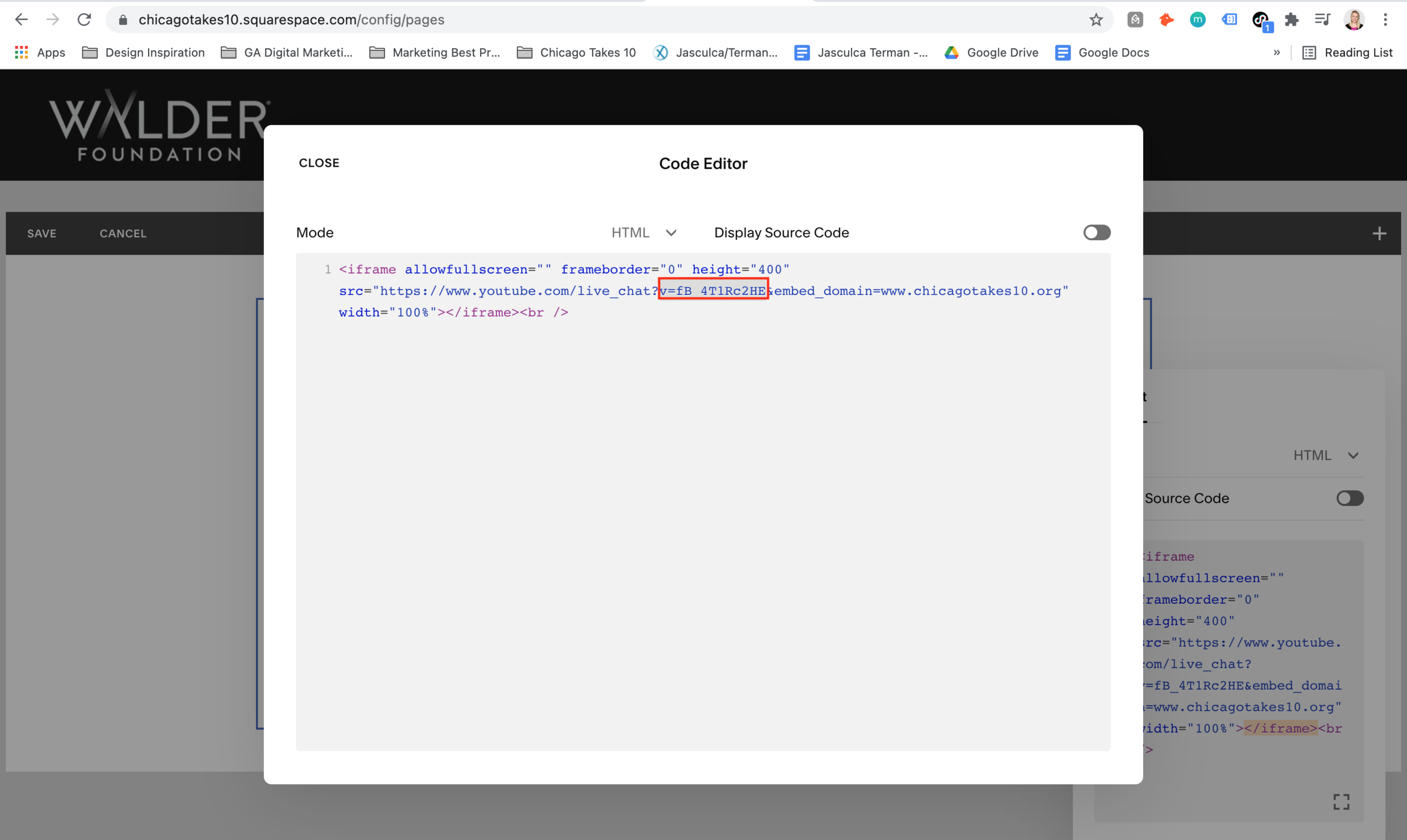
Copy and paste the code from the “YouTube Chat Embed Code” page (find this at the bottom of the pages panel).
In the code block, edit the text string that begins “v=” with the new string that appears at the end of the YouTube URL (highlighted in the below screenshots). When you click save, you’ll see a grey box that looks like an error, but it will appear correctly on chicagotakes10.org domain.
Repeat the above steps on the respective curating partner page.
After a performance
Update the header text on the homepage video section to: “Watch the Latest Performance”
Delete the code block below the video and replace with “Watch with chat replay on YouTube” text. Hyperlink the word “YouTube” to the appropriate YouTube URL.
Repeat the above steps on the respective curating partner page.